

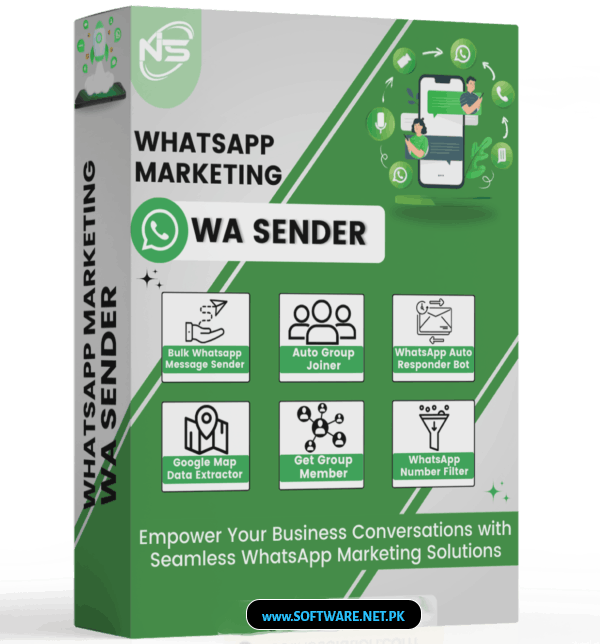


Bulk Messaging
Smart Personalization
Media Attachments
Smart Delays (Anti-Ban)
Auto-Reply Bot
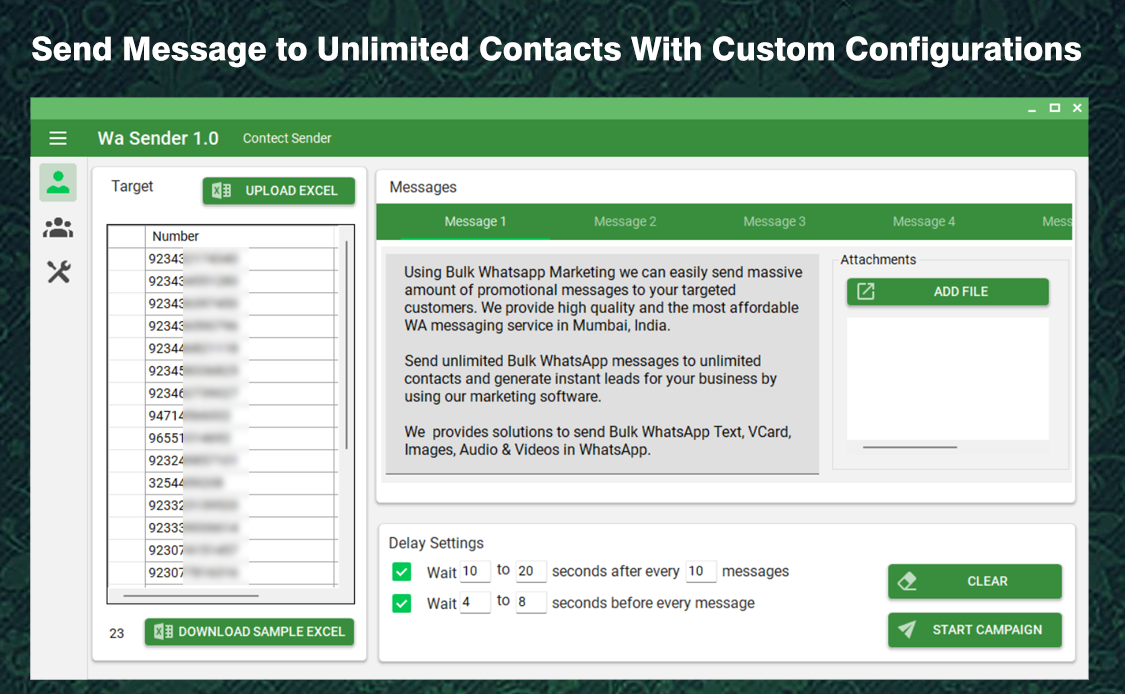
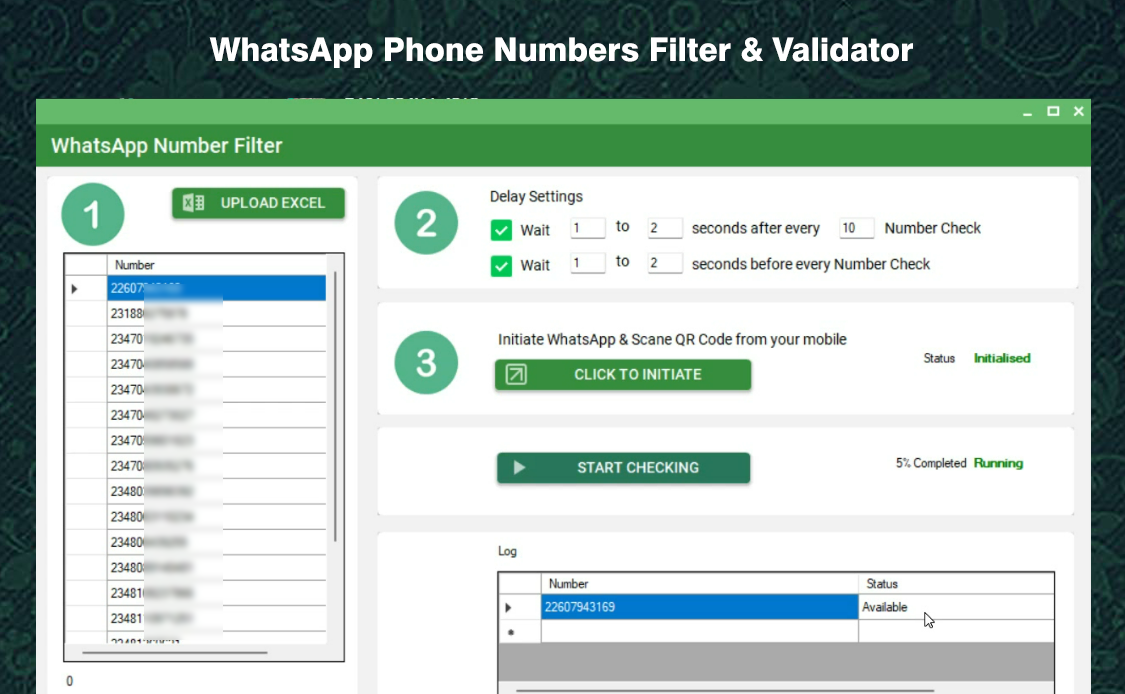
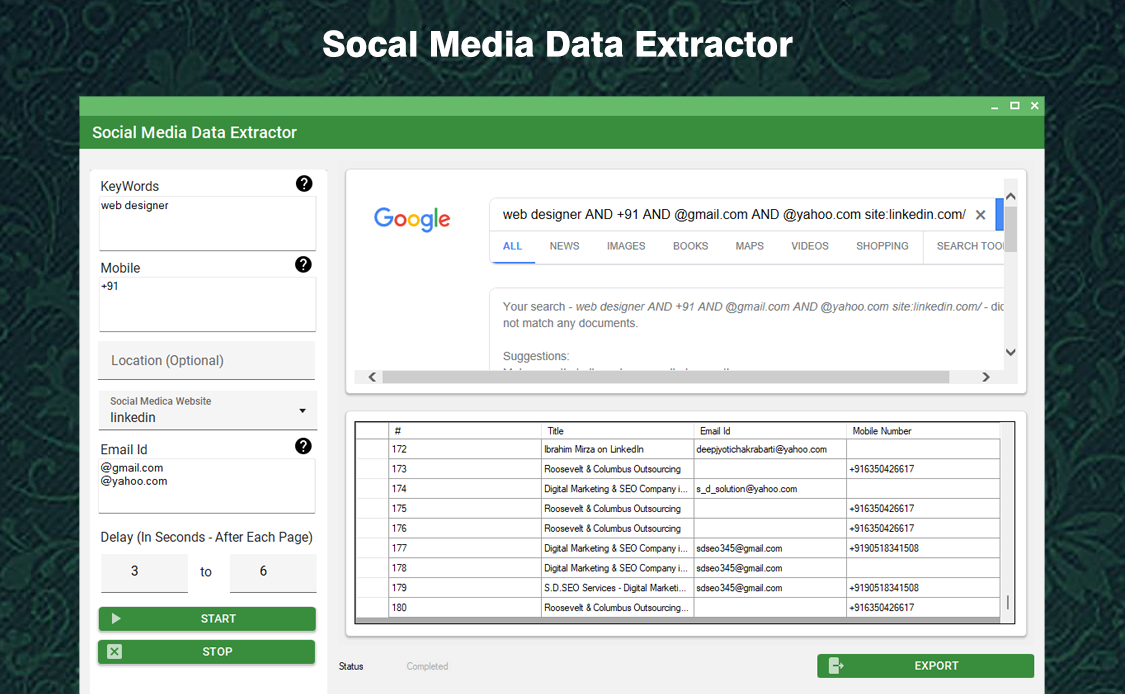
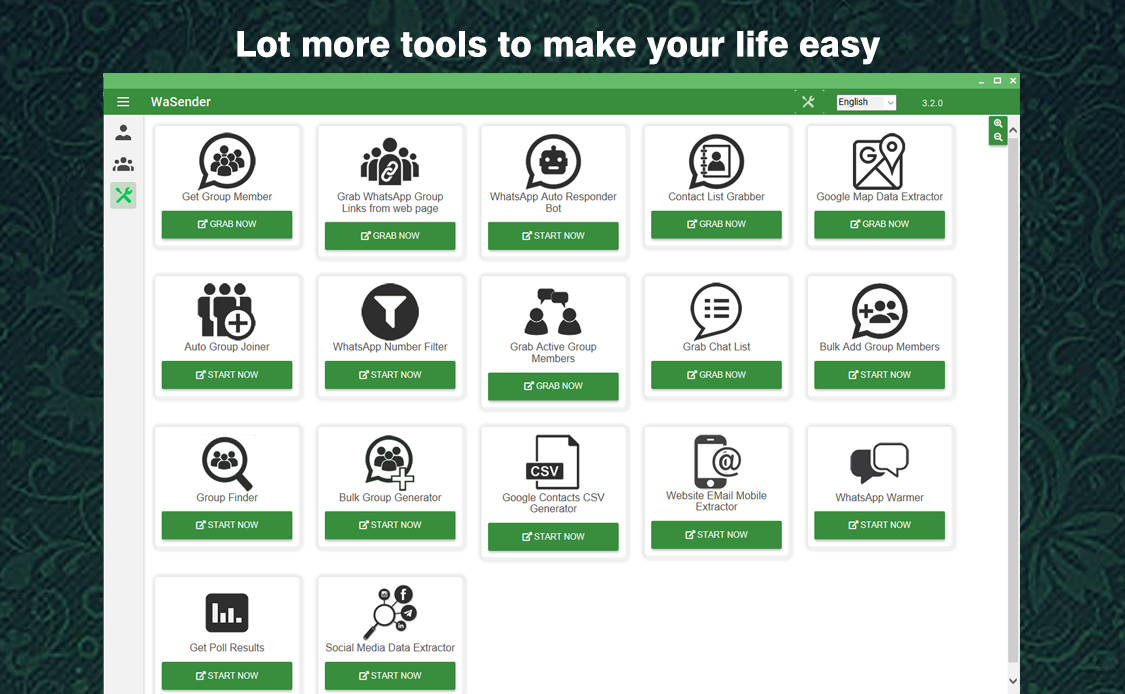
Innovate Communication
Enhance your client engagement with WA Sender Latest Version
Import / Export Multiple Contacts
Import / Export all your contacts in one go from CSV, Excelsheet files or by copying and pasting.
Productivity
Become ultra-productive, Send multiuple customzed broadcast messages to your contacts and customers
Bulk Messaging
Send thousands of personalized messages with just one click. Import contacts from CSV/Excel files instantly.
Smart Personalization
Customize each message with recipient names, custom fields, and dynamic content for better engagement.
Media Attachments
Send images, videos, documents, and audio files to make your messages more engaging and informative.
Smart Delays
Avoid getting banned with intelligent time gaps between messages and batch sending capabilities.
Detailed Analytics
Track delivery rates, read receipts, and campaign performance with comprehensive reporting tools.
Auto-Reply Bot
Set up intelligent auto-responses to handle customer queries 24/7 and improve engagement.


- Bulk Message Sending
- Send messages to thousands of contacts at once.
- Support for text, images, videos, PDFs, and documents.
- Import Contacts
- Import contacts via CSV, Excel, or manually.
- Group-wise segmentation.
- Personalized Messaging
- Use variables (like {name}, {order_id}) to personalize messages.
- Dynamic templates for better engagement.
- Multi-Account Support
- Add multiple WhatsApp accounts to balance loads.
- Rotational messaging to reduce spam flagging.
- Auto Reply & Chatbot
- Set predefined replies based on keywords.
- Useful for lead generation or FAQs.
- Message Scheduling
- Schedule messages for specific dates/times.
- Automate follow-ups.
- Message Templates
- Save commonly used messages as templates.
- Combine with personalization for campaigns.
- Campaign Analytics
- Track delivery, seen, and reply status.
- Measure engagement.
- Spintax Support
- Randomize messages to reduce spam detection.
- Example: Hi|Hello|Hey there
- Anti-block Features
- Message delay settings.
- Random intervals, name variations, emoji insertions.
- Group Messaging
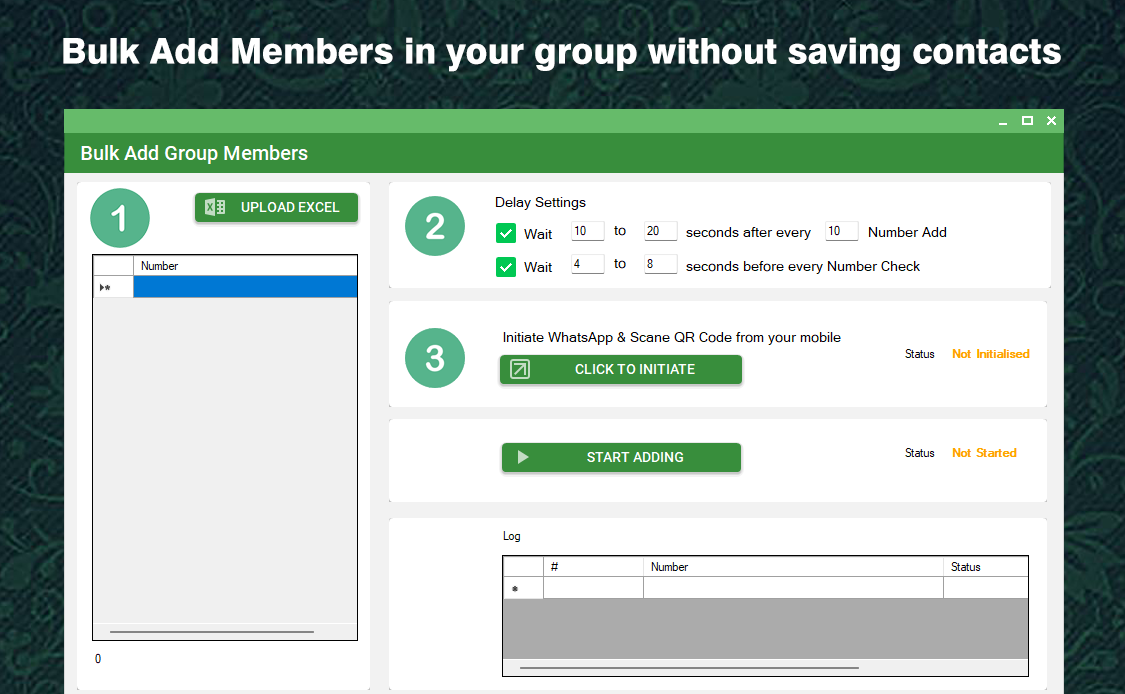
- Send messages to WhatsApp groups.
- Option to scrape group members (some tools).
- Contact Filtering
- Filter valid WhatsApp numbers from bulk list.
- Avoid sending to inactive numbers.
- Media Support
- Rich content: videos, images, links with previews.
- Clickable call-to-action buttons.
- Bulk Message Sending
- Send messages to thousands of contacts at once.
- Support for text, images, videos, PDFs, and documents.
- Import Contacts
- Import contacts via CSV, Excel, or manually.
- Group-wise segmentation.
- Personalized Messaging
- Use variables (like {name}, {order_id}) to personalize messages.
- Dynamic templates for better engagement.
- Multi-Account Support
- Add multiple WhatsApp accounts to balance loads.
- Rotational messaging to reduce spam flagging.
- Auto Reply & Chatbot
- Set predefined replies based on keywords.
- Useful for lead generation or FAQs.
- Message Scheduling
- Schedule messages for specific dates/times.
- Automate follow-ups.
- Message Templates
- Save commonly used messages as templates.
- Combine with personalization for campaigns.
- Campaign Analytics
- Track delivery, seen, and reply status.
- Measure engagement.
- Spintax Support
- Randomize messages to reduce spam detection.
- Example: Hi|Hello|Hey there
- Anti-block Features
- Message delay settings.
- Random intervals, name variations, emoji insertions.
- Group Messaging
- Send messages to WhatsApp groups.
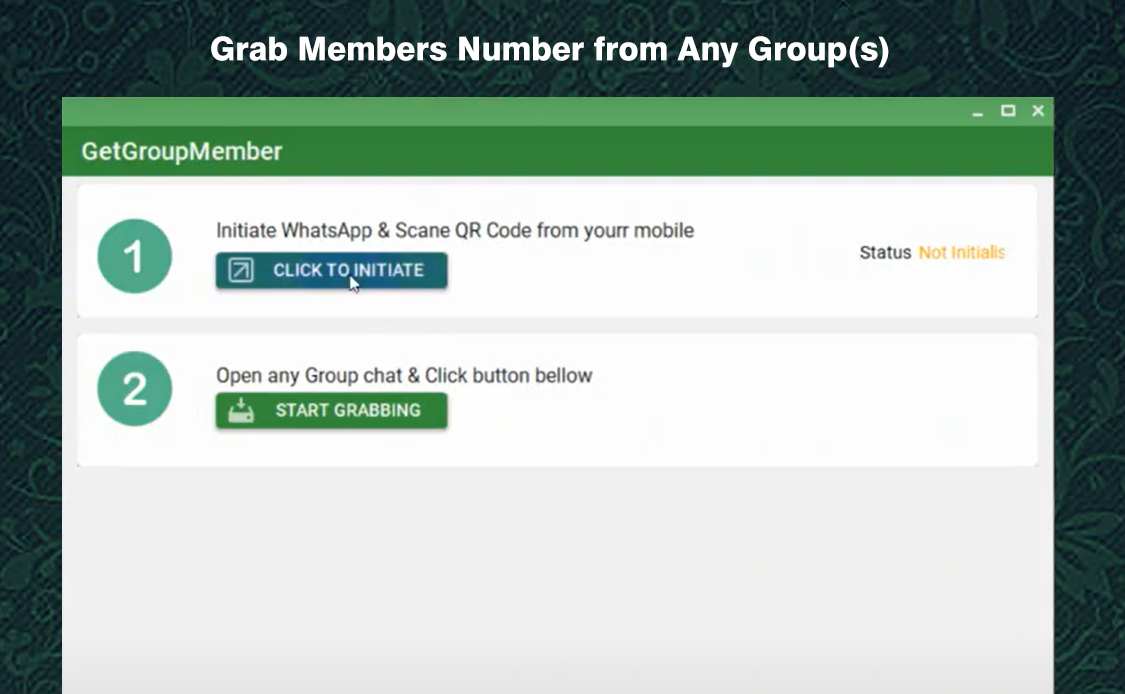
- Option to scrape group members (some tools).
- Contact Filtering
- Filter valid WhatsApp numbers from bulk list.
- Avoid sending to inactive numbers.
- Media Support
- Rich content: videos, images, links with previews.
- Clickable call-to-action buttons.
- Bulk Message Sending
- Send messages to thousands of contacts at once.
- Support for text, images, videos, PDFs, and documents.
- Import Contacts
- Import contacts via CSV, Excel, or manually.
- Group-wise segmentation.
- Personalized Messaging
- Use variables (like {name}, {order_id}) to personalize messages.
- Dynamic templates for better engagement.
- Multi-Account Support
- Add multiple WhatsApp accounts to balance loads.
- Rotational messaging to reduce spam flagging.
- Auto Reply & Chatbot
- Set predefined replies based on keywords.
- Useful for lead generation or FAQs.
- Message Scheduling
- Schedule messages for specific dates/times.
- Automate follow-ups.
- Message Templates
- Save commonly used messages as templates.
- Combine with personalization for campaigns.
- Campaign Analytics
- Track delivery, seen, and reply status.
- Measure engagement.
- Spintax Support
- Randomize messages to reduce spam detection.
- Example: Hi|Hello|Hey there
- Anti-block Features
- Message delay settings.
- Random intervals, name variations, emoji insertions.
- Group Messaging
- Send messages to WhatsApp groups.
- Option to scrape group members (some tools).
- Contact Filtering
- Filter valid WhatsApp numbers from bulk list.
- Avoid sending to inactive numbers.
- Media Support
- Rich content: videos, images, links with previews.
- Clickable call-to-action buttons.
- Bulk Message Sending
- Send messages to thousands of contacts at once.
- Support for text, images, videos, PDFs, and documents.
- Import Contacts
- Import contacts via CSV, Excel, or manually.
- Group-wise segmentation.
- Personalized Messaging
- Use variables (like {name}, {order_id}) to personalize messages.
- Dynamic templates for better engagement.
- Multi-Account Support
- Add multiple WhatsApp accounts to balance loads.
- Rotational messaging to reduce spam flagging.
- Auto Reply & Chatbot
- Set predefined replies based on keywords.
- Useful for lead generation or FAQs.
- Message Scheduling
- Schedule messages for specific dates/times.
- Automate follow-ups.
- Message Templates
- Save commonly used messages as templates.
- Combine with personalization for campaigns.
- Campaign Analytics
- Track delivery, seen, and reply status.
- Measure engagement.
- Spintax Support
- Randomize messages to reduce spam detection.
- Example: Hi|Hello|Hey there
- Anti-block Features
- Message delay settings.
- Random intervals, name variations, emoji insertions.
- Group Messaging
- Send messages to WhatsApp groups.
- Option to scrape group members (some tools).
- Contact Filtering
- Filter valid WhatsApp numbers from bulk list.
- Avoid sending to inactive numbers.
- Media Support
- Rich content: videos, images, links with previews.
- Clickable call-to-action buttons.
- Bulk Message Sending
- Send messages to thousands of contacts at once.
- Support for text, images, videos, PDFs, and documents.
- Import Contacts
- Import contacts via CSV, Excel, or manually.
- Group-wise segmentation.
- Personalized Messaging
- Use variables (like {name}, {order_id}) to personalize messages.
- Dynamic templates for better engagement.
- Multi-Account Support
- Add multiple WhatsApp accounts to balance loads.
- Rotational messaging to reduce spam flagging.
- Auto Reply & Chatbot
- Set predefined replies based on keywords.
- Useful for lead generation or FAQs.
- Message Scheduling
- Schedule messages for specific dates/times.
- Automate follow-ups.
- Message Templates
- Save commonly used messages as templates.
- Combine with personalization for campaigns.
- Campaign Analytics
- Track delivery, seen, and reply status.
- Measure engagement.
- Spintax Support
- Randomize messages to reduce spam detection.
- Example: Hi|Hello|Hey there
- Anti-block Features
- Message delay settings.
- Random intervals, name variations, emoji insertions.
- Group Messaging
- Send messages to WhatsApp groups.
- Option to scrape group members (some tools).
- Contact Filtering
- Filter valid WhatsApp numbers from bulk list.
- Avoid sending to inactive numbers.
- Media Support
- Rich content: videos, images, links with previews.
- Clickable call-to-action buttons.
- Bulk Message Sending
- Send messages to thousands of contacts at once.
- Support for text, images, videos, PDFs, and documents.
- Import Contacts
- Import contacts via CSV, Excel, or manually.
- Group-wise segmentation.
- Personalized Messaging
- Use variables (like {name}, {order_id}) to personalize messages.
- Dynamic templates for better engagement.
- Multi-Account Support
- Add multiple WhatsApp accounts to balance loads.
- Rotational messaging to reduce spam flagging.
- Auto Reply & Chatbot
- Set predefined replies based on keywords.
- Useful for lead generation or FAQs.
- Message Scheduling
- Schedule messages for specific dates/times.
- Automate follow-ups.
- Message Templates
- Save commonly used messages as templates.
- Combine with personalization for campaigns.
- Campaign Analytics
- Track delivery, seen, and reply status.
- Measure engagement.
- Spintax Support
- Randomize messages to reduce spam detection.
- Example: Hi|Hello|Hey there
- Anti-block Features
- Message delay settings.
- Random intervals, name variations, emoji insertions.
- Group Messaging
- Send messages to WhatsApp groups.
- Option to scrape group members (some tools).
- Contact Filtering
- Filter valid WhatsApp numbers from bulk list.
- Avoid sending to inactive numbers.
- Media Support
- Rich content: videos, images, links with previews.
- Clickable call-to-action buttons.
- Bulk Message Sending
- Send messages to thousands of contacts at once.
- Support for text, images, videos, PDFs, and documents.
- Import Contacts
- Import contacts via CSV, Excel, or manually.
- Group-wise segmentation.
- Personalized Messaging
- Use variables (like {name}, {order_id}) to personalize messages.
- Dynamic templates for better engagement.
- Multi-Account Support
- Add multiple WhatsApp accounts to balance loads.
- Rotational messaging to reduce spam flagging.
- Auto Reply & Chatbot
- Set predefined replies based on keywords.
- Useful for lead generation or FAQs.
- Message Scheduling
- Schedule messages for specific dates/times.
- Automate follow-ups.
- Message Templates
- Save commonly used messages as templates.
- Combine with personalization for campaigns.
- Campaign Analytics
- Track delivery, seen, and reply status.
- Measure engagement.
- Spintax Support
- Randomize messages to reduce spam detection.
- Example: Hi|Hello|Hey there
- Anti-block Features
- Message delay settings.
- Random intervals, name variations, emoji insertions.
- Group Messaging
- Send messages to WhatsApp groups.
- Option to scrape group members (some tools).
- Contact Filtering
- Filter valid WhatsApp numbers from bulk list.
- Avoid sending to inactive numbers.
- Media Support
- Rich content: videos, images, links with previews.
- Clickable call-to-action buttons.
- Bulk Message Sending
- Send messages to thousands of contacts at once.
- Support for text, images, videos, PDFs, and documents.
- Import Contacts
- Import contacts via CSV, Excel, or manually.
- Group-wise segmentation.
- Personalized Messaging
- Use variables (like {name}, {order_id}) to personalize messages.
- Dynamic templates for better engagement.
- Multi-Account Support
- Add multiple WhatsApp accounts to balance loads.
- Rotational messaging to reduce spam flagging.
- Auto Reply & Chatbot
- Set predefined replies based on keywords.
- Useful for lead generation or FAQs.
- Message Scheduling
- Schedule messages for specific dates/times.
- Automate follow-ups.
- Message Templates
- Save commonly used messages as templates.
- Combine with personalization for campaigns.
- Campaign Analytics
- Track delivery, seen, and reply status.
- Measure engagement.
- Spintax Support
- Randomize messages to reduce spam detection.
- Example: Hi|Hello|Hey there
- Anti-block Features
- Message delay settings.
- Random intervals, name variations, emoji insertions.
- Group Messaging
- Send messages to WhatsApp groups.
- Option to scrape group members (some tools).
- Contact Filtering
- Filter valid WhatsApp numbers from bulk list.
- Avoid sending to inactive numbers.
- Media Support
- Rich content: videos, images, links with previews.
- Clickable call-to-action buttons.
- Bulk Message Sending
- Send messages to thousands of contacts at once.
- Support for text, images, videos, PDFs, and documents.
- Import Contacts
- Import contacts via CSV, Excel, or manually.
- Group-wise segmentation.
- Personalized Messaging
- Use variables (like {name}, {order_id}) to personalize messages.
- Dynamic templates for better engagement.
- Multi-Account Support
- Add multiple WhatsApp accounts to balance loads.
- Rotational messaging to reduce spam flagging.
- Auto Reply & Chatbot
- Set predefined replies based on keywords.
- Useful for lead generation or FAQs.
- Message Scheduling
- Schedule messages for specific dates/times.
- Automate follow-ups.
- Message Templates
- Save commonly used messages as templates.
- Combine with personalization for campaigns.
- Campaign Analytics
- Track delivery, seen, and reply status.
- Measure engagement.
- Spintax Support
- Randomize messages to reduce spam detection.
- Example: Hi|Hello|Hey there
- Anti-block Features
- Message delay settings.
- Random intervals, name variations, emoji insertions.
- Group Messaging
- Send messages to WhatsApp groups.
- Option to scrape group members (some tools).
- Contact Filtering
- Filter valid WhatsApp numbers from bulk list.
- Avoid sending to inactive numbers.
- Media Support
- Rich content: videos, images, links with previews.
- Clickable call-to-action buttons.


